
Made in Pakistan

Curved LED Monitors: What Are Their Benefits, Features, and Advantages for Gaming and Professional Use?

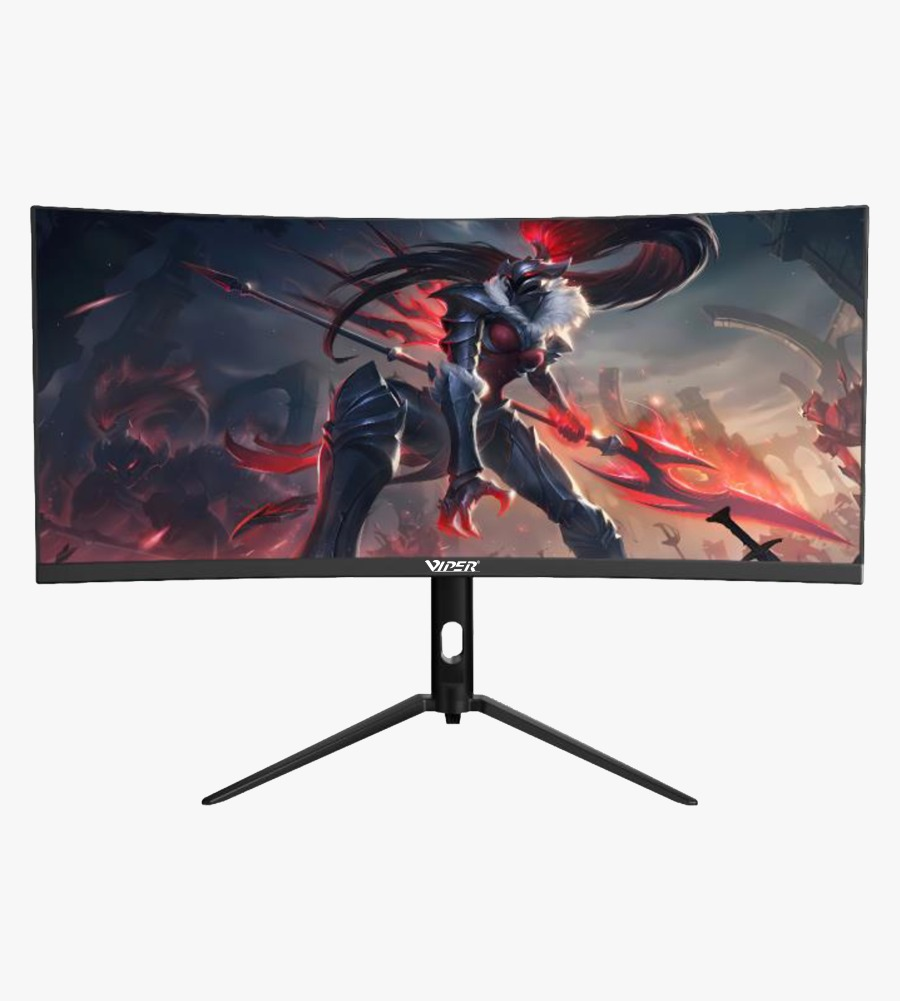
Imagine sitting in front of a wide curved monitor with the edges angle towards you. This becomes noticeable even more when you sit at a central position. No matter if you are working across a long editing timeline or playing a racing game on these monitors; think about what you want to do with the extra width of the monitor. The curve changes how the screen feels from the seat, while other elements like aspect ratio and the resolution identify how much you can really fit on that screen.
How Curved LED Monitors Change the Gaming Experience
A curve can make a wide screen feel more immersive because the edges wrap towards your peripheral vision. Racing and flight simulators often make good use of an ultrawide display, especially when the game can show more of the track or cockpit. Check support for the native aspect ratio first. Some games and cutscenes display black bars, and a console may output a standard widescreen image even when the monitor is wider.
Viper’s Expeder D34 shows how those features come together. Its catalogue lists a 34-inch VA panel, a 1500R curve, a 3440 × 1440 resolution and a 180 Hz refresh rate. The ultrawide resolution gives supported games more horizontal space, but it also asks the graphics card to render more pixels than Full HD. Check frame rates before choosing settings, and confirm which input supports the resolution and refresh rate you want to use together.
Where Curved LED Monitors Help in Professional Work
When you want to keep two related windows visible, a wide display is important. An analyst can contrast a spreadsheet with a dashboard without switching the windows. A video editor can leave the preview open beyond a regular timeline. On a shared desk, consider where colleagues sit when you present. The curve is designed around a central viewing position, and people seated to one side may see the display at a less comfortable angle.
The desk has to be measured with the stand in place when comparing a Curved LED in Pakistan for office use. Leave room to move the keyboard and adjust your viewing distance. If you connect a work laptop, check whether its ports can drive the display at its native resolution. A USB-C listing alone does not confirm video input or laptop charging. As far as color-related work is concerned, you can look for uniformity and measured color accuracy along with the published screen attributes.
FAQs
Q1. What is a curved LED monitor, and how does it work?
It is a Curved LCD panel lit through an LED backlight. The LCD guarantees the passing of mild via its pixels to increase the image. The curve alters the display screen’s bodily angles and shapes the edges toward the viewer, who’s seated at a critical position.
Q2. What are the main benefits of using a curved LED monitor?
On an extensive display screen, the curve brings the rims toward you and might make the show sense greater enveloping. An ultrawide version additionally offers you room for aspect-through-aspect home windows or an extended timeline. That more workspace comes from the display screen format.
Q3. Are curved LED monitors good for gaming?
Yes, they may be great, in particular for flight stimulation, racing and different video games that guide those ultrawide resolutions. Also examine enter lag, pixel reaction and refresh charge for instant aggressive play. This is due to the fact a curve display screen by myself now no longer beautifies movement visibility.
Q4. What does monitor curvature such as 1000R, 1500R, and 1800R mean?
These numbers describe the radius of the circle the display screen’s curve could form. A 1000R curve has a radius of 1,000 millimeters. It bends greater sharply than 1500R, whilst 1800R is gentler still.
Q5. Are curved monitors better than flat monitors for office work?
A curved ultrawide can fit solo paintings throughout numerous home windows. A flat display screen may be less difficult to proportion with colleagues viewing from the aspect and can sense greater herbal in case you choose instantly traces in layouts or drawings.
Q6. What screen size is best for a curved LED monitor?
A 34-inch ultrawide is a beneficial start line in case you need running home windows aspect through aspect. A smaller version may match a compact table higher. Compare the real width and stand intensity earlier than deciding.
Q7. Do curved LED monitors reduce eye strain?
A curve may also sense greater snug for a few users; however, it does now no longer assure much less eye strain. Set a cushy viewing distance, lessen reflections, growth textual content length if wished and take ordinary breaks from close-up paintings.
Q8. What should you consider before buying a curved LED monitor?
Check the curve, display screen length, resolution, ports and stand adjustment. Confirm that your laptop helps the supposed show mode and that your video games or painting apps fit the factor ratio. Ask approximately assurance insurance and the seller’s useless pixel policy.