
Made in Pakistan

Desktop PC Buying Guide: Desktop Computers, Pacer Desktop PC, All-in-One Desktop & Expeder Laptop

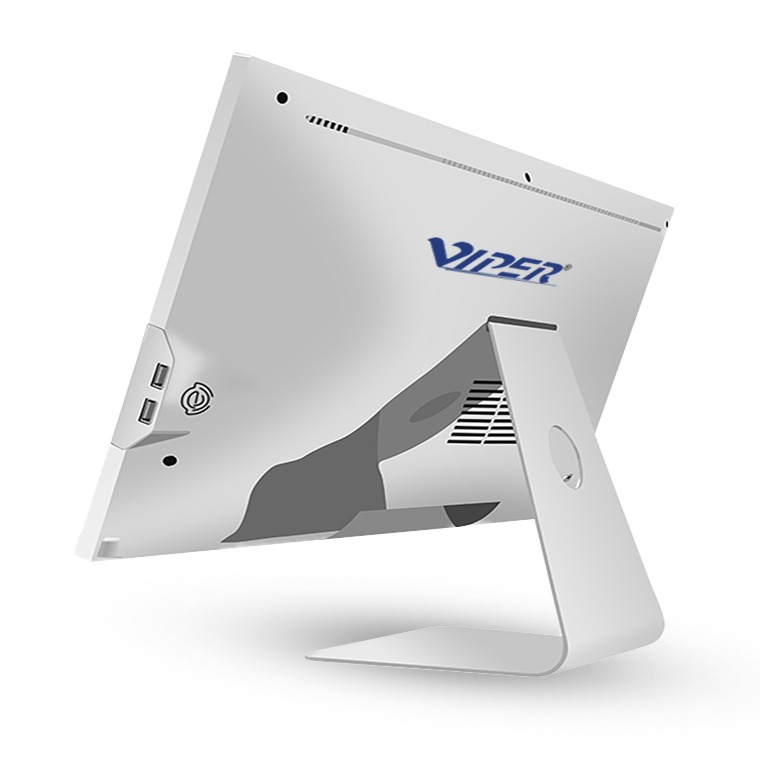
Identify the intended use of the system before purchasing a computer. Do you want to share the study space with your family? Do you want to spend the day at one desk? Do you often change the desk between client meetings? These answers influence our decisions.
To organize the work, various ways are provided by a compact Pacer system, Expeder laptop, desktop PC and an all-in-one desktop. The setup that matches your routine, space and software is the right system.
What Is a Desktop PC and How Does It Compare With a Desktop Computer?
A desktop personal computer is a setup typically used at a fixed workspace. Desktop computers are almost the same. We cannot determine whether the case is larger or the system is powerful based solely on the terms.
By comparing individual configurations, we can see the differences. A compact machine takes less space whereas a tower system offers space for extra components. However, both are connected to a mouse, monitor and keyboard.
A desktop offers a specified area to work for users managing customer records, drafting invoices or researching assignments. Based on our changing needs, we can replace peripherals individually or choose a screen smoothly that displays documents side by side.
Check whether the features match the items before comparing prices. Once you add accessories, monitor or operating system, a cheaper desktop becomes more costly.
Pacer Desktop PC: Features, Uses, and Buying Considerations
The Pacer desktop PC range of Viper consists of various formats for different settings. Its M-Expeder range offers expandable memory, tower casing features and SSD storage configurations. P-Series provides a portable design. The right model is the one that resonates with your workload and available space.
For instance, a designer should check graphics requirements when working with professional applications before buying a configuration. The buyers of a shop owner running software, stock records and email focuses on responsive storage, application compatibility and link with essential devices.
Ask these questions when reading references:
- Connections: Does the part connect automatically?
- Processor: What is the model’s name?
- Support: How long is the warranty? Does it offer after-sales maintenance?
- Memory: Is Ram sufficient? Can it be added later?
- Storage: What is the capacity of SSD?
All-in-One Desktop vs. Traditional Desktop PC: Which Setup Fits Your Needs?
The computer hardware is enclosed inside the screen of an all-in-one system. It reduces the need for an individual tower and makes the workplace simpler.
The Pluto B-Series of Viper offers various storage configurations, integrated graphics, memory form and display features. If touch input is essential for your work, then confirm if the chosen screen option has touchscreen feature.
A screen is an essential component of a computer so it deserves attention. The size, position and resolution of the screen should be checked. An attractive screen may feel uncomfortable when you open comprehensive spreadsheets.
Maintenance should also be considered. Check whether after-sales service requires taking the complete system away or only the components that need to be replaced. Choose a system that meets your current and future needs.
Desktop PC vs. Expeder Laptop: Which Is Better for Work and Everyday Use?
The real matter is the intended use. An Expeder laptop provides real mobility whether you require files or applications in meetings, home or other settings.
The Expeder 15 Pro product page of Viper offers memory support upto 64GB, SSD capacity options, 15.6-inch full HD screen and a built-in camera. These features do not mean that every system has those configurations.
If you want an individual keyboard, bigger display and a permanent workstation, a desktop is ideal. Before finalizing, check the complete system and its specifications.
FAQs
What is a Desktop PC and who should buy one?
It is a computer system positioned at a fixed space. It is useful for managing work, everyday tasks or study.
What should you look for when choosing a desktop computer?
The warranty, processor options, storage, upgrade features, ports, software requirements and RAM should be checked.
What is a Pacer Desktop PC and what is it used for?
It is one of the models from the Viper’s desktop collection. It can be used for entertainment, office work, applications and education.
Is an all-in-one desktop better than a traditional Desktop PC?
It is ideal for small workspaces. However, some models of traditional systems provide greater flexibility over individual displays.
Should you choose an Expeder Laptop or a Desktop PC?
If you travel frequently, choose an Expeder laptop. If you have a fixed workspace, choose a desktop system.