
Made in Pakistan

How to Choose a Desktop PC: A Complete Buying Guide

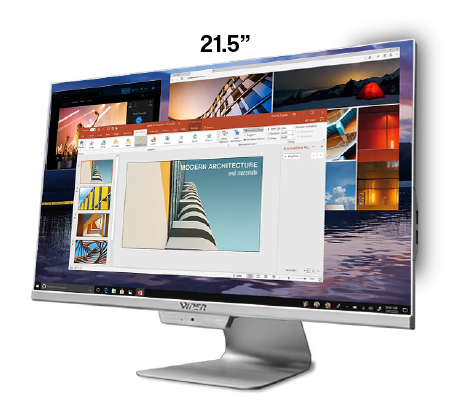
As storage, processors, visuals, RAM and prices vary, purchasing a desktop system becomes hard. A system designed for professional work and gaming might not be an ideal choice for basic office work.
An ideal strategy is to buy a computer that aligns with your workload. Comprehending the significant details can help you make a great purchase, whether you want a setup for gaming, business, home or commercial applications.
What Is a Desktop PC?
A system built primarily for usage in a static workplace is a desktop computer. It is a traditional system consisting of a computer body combined with a keyboard, mouse and monitor.
RAM aids in active applications, the visual processor manages graphical results, the storage saves programs and apps and the processor makes calculations. Desktop systems offer higher adaptability for hardware upgrades.
Why Choosing the Right Desktop PC Matters
Everyone has different needs for computers. Multitasking, business software and accounting applications are some of the needs of offices. Browsing, video calls, documents and multimedia are some of the major requirements of regular users. Slowdown and delay are caused due to insufficient specifications. Additional storage and RAM increase the usefulness of computers.
Key Desktop PC Specifications to Consider
Processor is one of the primary features to be considered. Challenging applications, editing, gaming and creation requires stronger processing power than regular tasks.
RAM influences the way applications run. Powerful memory potential is especially useful for users who work with professional software, large spreadsheets and multiple browser tabs.
Experience is also impacted by storage. HDDs are helpful when huge amount of affordable storage is needed, whereas SSDs offer quick application loading and rapid start.
Professional work and gaming require consistent graphics. Office and home use may only need built-in graphics. Before buying, the upgrade options, networking, ports and cooling should be checked.
How to Choose the Right Desktop PC
Determine the major purpose of the system, whether you need it for gaming, office work, entertainment, professional software and study.
Set your budget. Instead of opting cheapest setup, compare the configurations when comparing desktop PC price in Pakistan.
Identify the kind of specifications you need. Instead of focusing on a single specification, consider the overall configuration when searching best desktop PC Pakistan.
Pre-Built vs. Custom Desktop PCs
Built-in desktops are already designed and available for use. It is easier for users who want simple setup and integrated warranty assistance. Customized systems are ideal for professionals and gamers with specific demands.
For users who want local support and fixed structure, a branded desktop PC Pakistan could make buying better.
What Should Buyers Consider When Purchasing Online or In-Store?
Check the RAM, visuals, accessories, storage and operating system when you’re searching desktop PC online Pakistan. Product names are not just sufficient.
Verify whether the given price includes accessories and monitor, when looking at the desktop PC for sale in Pakistan. Delivery arrangements, technical assistance, return or exchange policies and warranty terms should be checked.
As some items consist of only system unit, this becomes significant when comparing desktop PC with monitor price Pakistan.
The authentic sales channels and support availability should be compared by users when looking for desktop PC shop Pakistan. The desktop PC deals Pakistan should also be analyzed based on the features.
Is a Desktop PC Suitable for Everyone?
For users who need larger displays, powerful performance, upgrade adaptability and static workstation, desktops are particularly useful. The right configuration is useful for everyone.
Yet, laptops are essential for users who prefer portability. If the system cannot manage the required workload, searches for cheap desktop PCs Pakistan should not be based on price.
FAQs
What is a Desktop PC?
It is a personal computer combined with a mouse, monitor and keyboard.
How much RAM should a Desktop PC have?
It depends on the intended use. Extensive professional applications, gaming and design requires more RAM than everyday tasks.
What affects desktop PC price in Pakistan?
The prices vary according to the warranty, form factor, storage, processor, visuals, configuration, RAM and accessories.
Should I buy a pre-built or custom Desktop PC?
Pre-built setups offer comfort whereas custom-built systems offer unit-level control.
Is a Desktop PC better than a laptop?
Desktops are suited for fixed workstation whereas laptops encourage portability.
Conclusion
Selecting the right desktop computer means considering the warranty, graphics, processor, storage, RAM and overall budget. Rather than just choosing the cheapest desktop option, well-balanced configuration provides greater benefit.
Viper offers various desktop options for different needs. Choose a configuration that also meets your future needs by exploring various desktop solutions.