
Made in Pakistan

Pacer Desktop PC: Complete Guide to Choosing the Best Desktop Computer in Pakistan

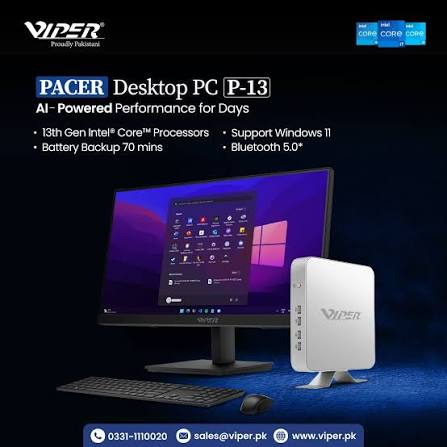
Systems may have similar processor tags but can vary in purchase value. One system may require additional cost before it suits your workload. Another system may have upgraded capacity and faster storage. This is why selecting a Pacer desktop is more than just a cost comparison.
The real questions include: Is it suitable for your workplace? Can it manage professional applications? Does it provide after-sales servicing? These questions help you in choosing the best Pacer models that suit your workspace.
What Is a Pacer Desktop PC and Who Is It For?
Pacer PC is a major component of the desktop computer range of Viper. It helps users to choose hardware according to their computing and workspace needs by offering tower configurations and compact systems. Its P-Series aids in surveillance, corporate applications, digital signage and home entertainment.
Home users may require a system for browsing, entertainment or documents. An entrepreneur may use it for daily reporting, invoicing or stock management. A student may need it for online classes, research or assignments.
Everyone needs a different combination of hardware. Multitasking becomes difficult with less memory. Spending money on processing power may compromise the need for a comfortable monitor. List the tasks you would perform and note down the essential applications.
How Does a Pacer Desktop PC Compare With Other Desktop Computers?
Instead of just looking at the brand names, consider the complete specifications. Checking storage type, processor, accessories, graphics hardware and installed RAM are a part of a real comparison.
The M-Expeder page of Viper provides SATA storage options, memory support up to 64 GB, Intel Core processor features and PCIe M.2 NVMe SSD. It also includes full tower casing options and small tower.
The following features should always be considered when exploring alternatives:
- Installed capacity versus supported capacity: It does not always mean 64GB is included, when it says “Supports 64GB”.
- Storage speed versus storage space: Capacity does not reflect responsiveness, yet a bigger drive can store more files.
- Expansion potential versus immediate needs: If spare slots support upgrades, only then they are helpful to you.
For instance, Sufficient RAM and an SSD will benefit more than a graphics hardware for an office worker managing spreadsheets.
Before making a decision, check the suggested specifications if you are editing software, designing or engineering. Inquire the specific graphics model where needed.
Pacer Desktop PC vs. All-in-One Desktop: Which Is Right for You?
A separate monitor offers greater adaptability over the display of a Pacer system. You can easily organize the computer case near the workspace, choose size or modify it separately.
The computer hardware and the screen are integrated in an all-in-one desktop. This is especially useful in settings where an individual tower may feel awkward such as a study desk or a reception area. Along with storage interfaces and memory, Pluto K-Series of Viper offers integrated display features.
Imagine what could change in the upcoming years. The right tower may provide greater adaptability if you want to replace the screen or add parts. An all-in-one is easier to manage when the desk area is limited and the work remains persistent.
What Should You Consider When Choosing the Best Computers in Pakistan?
When you understand your own needs, choosing the best computer becomes easier. Before buying, ensure the following things:
Plan for power interruptions. Examine a proper UPS for the important equipment and computer in case an outage impacts your workspace.
Confirm the complete price. Thoroughly check if mouse, monitor, operating system, keyboard or delivery service is available.
Inspect connectivity. If Ethernet cannot be used, check the availability of Wi-Fi. List the items such as displays, printers and external drives you want to connect.
Check warranty arrangements. Ensure the written configuration is available. Ask about the after-sales repair service and the parts that would be included in it.
Consider future costs. Before buying, check the servicing, compatible memory and replacement storage.
FAQs
What is a Pacer Desktop PC?
It is a desktop computer from Viper’s desktop range, available in various formats and configurations.
Is a Pacer Desktop PC suitable for work, study, and everyday use?
Yes, if it resonates with your storage needs, applications and multitasking requirements.
How does a Pacer Desktop PC compare with an all-in-one desktop?
The Pacer system provides display adaptability whereas an all-in-one system integrates screen and computer.
What should I check before buying a desktop computer in Pakistan?
The warranty, software, service management and written specifications should be checked.
Where can I find the best computers in Pakistan?
You can compare verified sellers such as Viper against your requirements and budget.