
Made in Pakistan

Android Tablets: How to Choose the Best Tablet for Business, Education, and Everyday Use?

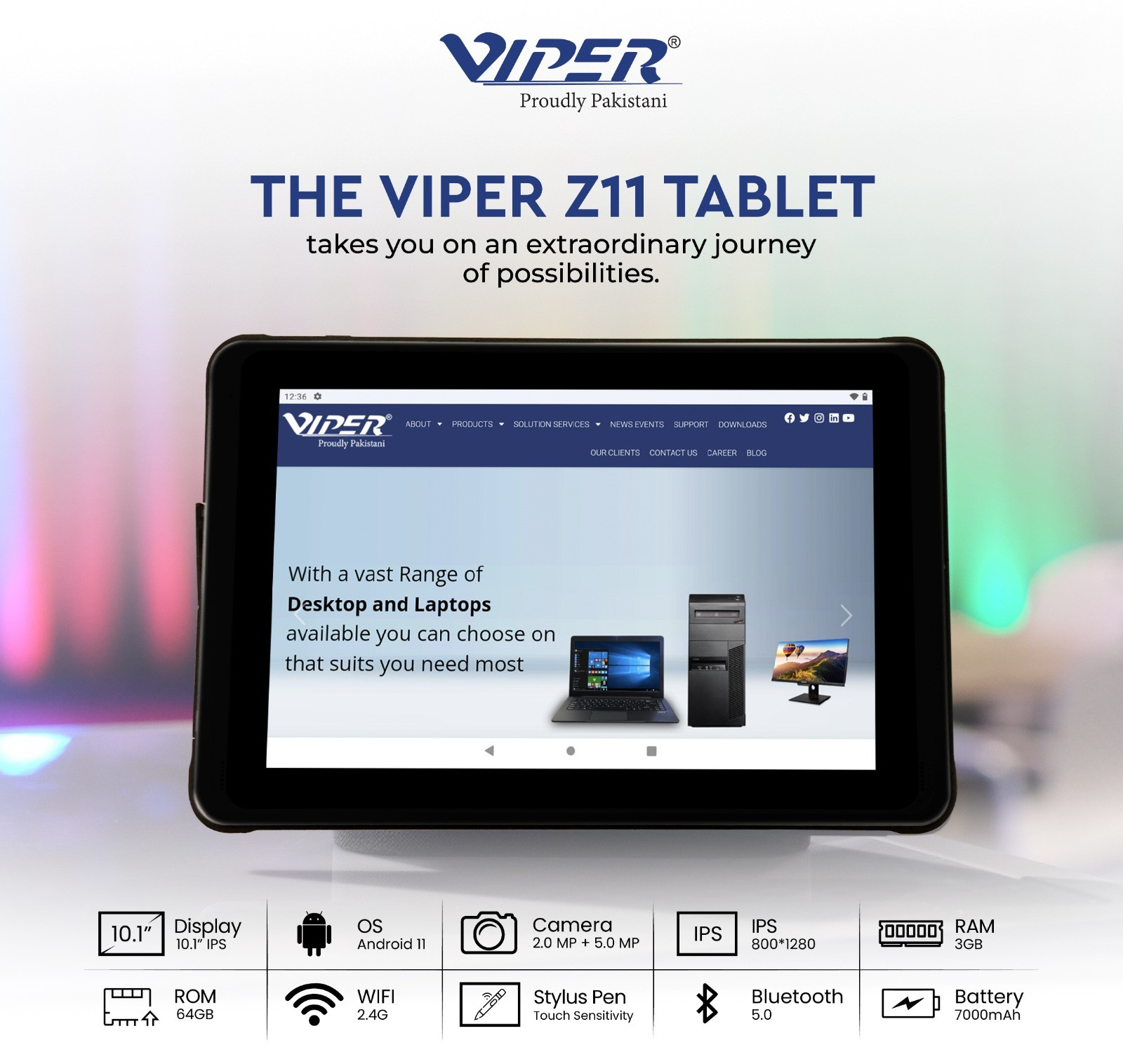
A tablet aimed for video meetings and reading may slow down while loading a spreadsheet. Think about the tasks that you often do, then analyze the battery health, screen size and compatibility. Check the product warranty, maintenance service and quoted configuration when looking for Android tablets in Pakistan. Before placing a bulk order for businesses and schools, check one device thoroughly with the accessories and apps.
Choosing Android Tablets for Business, Education and Everyday Use
Business. Note the tools required for stock checks, meetings, field reports and document approvals. Before finalizing, try to do a practical task. For instance, check whether a site inspection website allows employees to save pictures or a report. Check the keyboard compatibility if your staff type lengthy reports. The device should meet your team’s device management needs, operating system and security update.
Education. Examine your school’s assessment software, video call app and online learning portal. A compact device can be easily carried to classes while a larger screen helps students to read spreadsheets effectively. Check if students can install notes for offline learning and inspect the microphone. If you want pen support for handwritten assignments, analyze the model you’re choosing.
Everyday use. Hold the tablet and assess how it feels in your hand. Check if it would be suitable for everyday streaming, reading or browsing. For video viewing, check the sound configuration. For video calls or streaming content, a folding case would be useful.
Comparing Android Tablets by Screen, Performance and Connectivity
Along with size, compare the screen resolution. Higher resolution makes it easier to read small texts while bigger displays offer greater working space. Reading downloaded documents puts different demands on a battery than attending video calls at high brightness. Check if Wi-Fi is accessible at specific locations. Analyze the cellular support for the exact model if you need a SIM for far locations.
The range of Viper represents a balance between workspace and mobility when comparing tablets in Pakistan. The Z11 MK consists of 64 GB internal storage and 10.1-inch screen. The Z08 MK consists of 32 GB internal storage and 8-inch screen. Before purchasing, check the security updates and app compatibility as Viper lists Android 11 and 3 GB of RAM for both models.
FAQs About Android Tablets
Q1. What is an Android tablet, and how does it work?
It is a touchscreen device that operates Google’s Android operating system. Through gestures, you can type, browse or open apps. Furthermore, you can install apps from the play store.
Q2. How do you choose the best Android tablet for business use?
Think about your IT team’s needs and important apps. Try to complete practical work on a trial unit. Consider the case options and screen visibility of your employees who often work outdoors.
Q3. Are Android tablets suitable for online learning and education?
Yes, they are ideal for assignments, live lessons and digital textbooks. Since, assessments need a Desktop operating system, examine the exam software as well.
Q4. What specifications should you look for when buying an Android tablet?
The processor, usable storage, connectivity, update policy, screen resolution, RAM and Android version should be checked. Consider the video output specifically if you want to connect a monitor.
Q5. Are Android tablets better than laptops for everyday use?
For quick messaging, reading and streaming, a tablet is simpler to carry. For running heavy software, extended typing and multiple windows, a laptop is more suitable.
Q6. How much RAM and storage do you need in an Android tablet?
For regular use, choose 64 GB of storage and 4 GB of RAM. If you frequently switch between websites, choose 6,8 or 128 GB.
Q7. What features make an Android tablet ideal for professional productivity?
A comfortable keyboard, readable screen and reliable Wi-Fi are some significant features. Check the split-screen feature with the apps and examine if the device supports file transfer.